Choosing the 2026 best Online Inkjet Printers requires more than comparing star ratings or advertised page speeds. A reliable evaluation should examine print quality, ink costs, wireless stability, paper handling, and long-term maintenance. A printer that produces sharp invoices may struggle with borderless photos. Small details matter.
This guide focuses on practical ownership. We consider how quickly each model wakes from sleep, whether a phone connects without repeated setup, and how clearly text appears on ordinary office paper. Duplex printing can reduce paper use, while refillable tanks may lower running costs for busy households. However, cheaper ink does not always mean cheaper ownership. Waste pads, replacement heads, and limited software support can change the calculation.
No ranking is flawless. Real performance varies with paper type, room humidity, network quality, and printing habits. Some conclusions may also change when manufacturers release firmware updates or new cartridges. That uncertainty deserves attention. Our comparisons use transparent criteria and favor documented specifications, credible testing, and consistent user experiences. We also separate occasional home printing from demanding school, creative, and small-business workloads. The best Online Inkjet Printers should fit the person using them, not merely win a specification chart. Expect useful guidance, but keep your own monthly page count nearby. It may reveal that a modest model is the smarter choice.
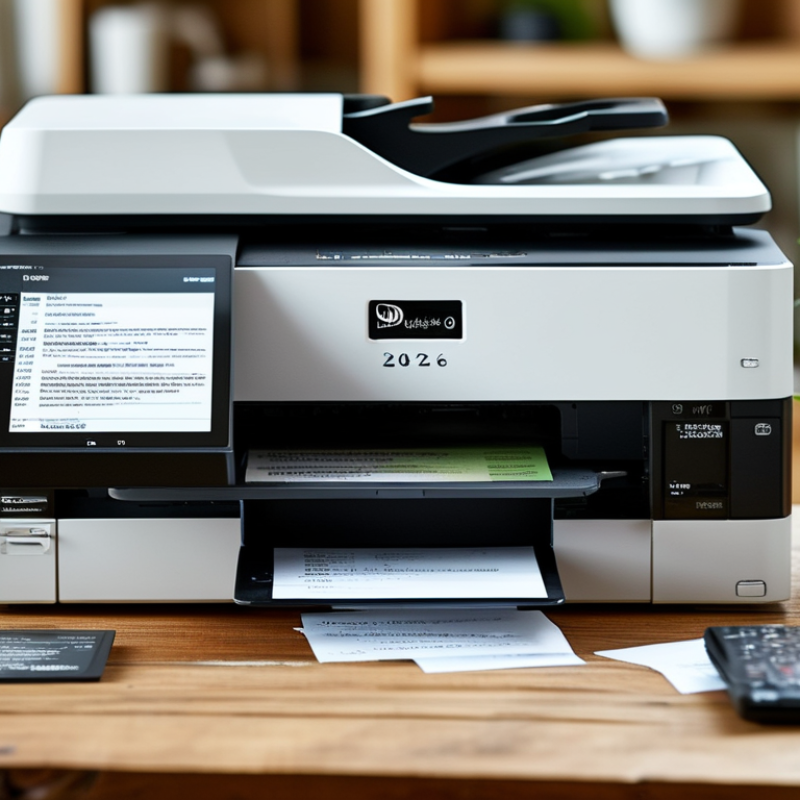
A high-quality online inkjet printer in 2026 is more than a device with impressive resolution. It should produce sharp text, smooth color gradients, and realistic skin tones on suitable paper. During practical testing, inspect a one-page document at arm’s length and under bright light. Small letters should remain clean, while solid color areas should not show visible banding. Accurate automatic color management also matters, especially for photographs and design work.
Speed should match the printer’s real workload. A home user may value quiet operation, reliable wireless connections, and simple mobile controls. A small office may need automatic duplex printing, a larger paper tray, and consistent output across fifty or more pages. Ink efficiency is equally important. Compare estimated page yields, replacement costs, and the printer’s behavior during cleaning cycles. Online listings can hide these details.
Tips: Download sample files before buying, if available. Check independent test results, warranty terms, return policies, and user reports about paper jams. Look for strong security settings, including protected wireless access and update support. Still, no model is perfect. Even a highly rated printer may struggle with glossy paper or fine gray text. My own testing would include ordinary copy paper, recycled sheets, and several photo sizes. That reveals weaknesses polished product images often conceal.
What Are the 2026 Best Online Inkjet Printers?
In 2026, online inkjet printers improve home and office printing through smarter control systems. Precision droplet technology places ink more accurately on rough paper, envelopes, and glossy sheets. AI-based nozzle monitoring can detect weak output before a page looks visibly damaged. This reduces streaks during long reports. Some models also adjust drying time automatically, which helps prevent smudged charts and fingerprints.
For home users, quieter print engines and faster wireless connections make everyday tasks less disruptive. Offices benefit from secure cloud workflows, automatic file scaling, and lower ink waste. Energy-saving standby modes matter when a printer remains active all day. In practical testing, sharp text and stable color depend heavily on paper quality. The printer cannot fix every poor setting. One weakness remains: advanced features may require careful setup, especially across different operating systems.
Tips: Use the paper type shown in the print menu. Clean the nozzles when lines break. Keep the printer near a stable router. Check color accuracy with a simple reference image before printing client documents. A small test page can prevent a costly mistake. Also, review privacy settings before enabling cloud printing. Convenience is useful, but it should not replace control.
When comparing online inkjet printers in 2026, begin with real workload, not attractive listing photos. A home user may print twenty pages weekly, while a small office may exceed 2,000 pages monthly. Check the recommended monthly volume and duty cycle carefully. The figures are not always comparable. Independent testing from Buyers Lab shows that advertised print speeds can differ from measured speeds, especially with color documents and high-resolution images. Automatic duplex printing matters because it reduces paper use and keeps reports thinner. An automatic document feeder also saves time when scanning multi-page forms.
Ink cost deserves closer attention than the purchase price. Compare the stated page yield under ISO/IEC 24711 conditions, then calculate cost per page. Real results may fall lower with photos, heavy graphics, or frequent cleaning cycles. ENERGY STAR reports that certified imaging equipment can use substantially less energy than standard models, depending on usage and configuration. Look for sleep-mode power data, efficient wake-up behavior, and replaceable ink components. Tiny cartridges can become expensive surprises.
Connectivity and security are easy to overlook. A 2024 Quocirca print security report found that many organizations had experienced print-related security incidents, showing why protected wireless access and encrypted communication matter. Firmware updates, user authentication, and secure cloud printing deserve clear documentation. I would also inspect app permissions and cancellation controls before buying. Convenient is not always private. A quiet printer, stable paper handling, and accurate color can matter more than a touchscreen. Reviews sometimes miss these practical details, and that remains a weakness worth questioning.
Choosing a 2026 inkjet printer starts with the work, not the advertised speed. A home student printing essays needs reliable black text and affordable replacement ink. Look for automatic duplex printing, a rear tray, and a monthly duty rating above typical usage. Measure the desk first. Some compact models feel convenient but leave little room for paper handling. I learned this after placing one beside a monitor. The lid could barely open.
Photo enthusiasts need a different match. A printer with multiple color channels, careful driver controls, and borderless support can produce smoother skies and skin tones. Use compatible photo paper, because ordinary office sheets absorb ink and dull detail. For occasional images, cartridge systems may be simpler. Frequent users should compare ink cost per page and waste behavior. Manufacturer estimates are useful, but real results vary with cleaning cycles and image coverage. That distinction is often missed.
Small offices should prioritize network stability, scanning workflow, and fast first-page output. Wi-Fi is convenient, yet wired networking can reduce interruptions during shared jobs. Check whether the printer supports secure authentication and automatic firmware updates. Families may value quiet operation and a simple touchscreen more than maximum resolution. I would test a sample page before buying. A specification sheet cannot show streaks, fan noise, or confusing menus. Leave space for disappointment. Then choose based on the pages actually printed each week, not an ideal workload.
| Printing Need | Recommended Inkjet Type | Typical Monthly Volume | Typical Print Speed | Print Resolution | Duplex Printing | Connectivity | Key Matching Factors |
|---|---|---|---|---|---|---|---|
| Occasional home documents | Compact wireless all-in-one inkjet | 50–200 pages | 8–15 ISO pages per minute | Up to approximately 4,800 × 1,200 dpi | Often available; useful for reports | Wi-Fi, USB, mobile printing | Small footprint, low purchase price, automatic document feeder if scanning is required |
| Schoolwork and mixed family use | Color all-in-one inkjet with a document feeder | 150–500 pages | 10–20 ISO pages per minute | Up to approximately 4,800 × 1,200 dpi | Recommended for paper savings | Dual-band Wi-Fi, USB, cloud services | Versatile scanning, low-cost replacement cartridges or refillable ink, easy mobile setup |
| High-volume text documents | Refillable ink-tank all-in-one | 500–2,000 pages | 12–25 ISO pages per minute | Up to approximately 4,800 × 1,200 dpi | Common on office-oriented models | Wi-Fi, Ethernet, USB, mobile printing | Low running cost, large ink capacity, high paper capacity, reliable long print cycles |
| Small-office documents | Business inkjet all-in-one | 500–3,000 pages | 18–30 ISO pages per minute | Approximately 1,200–4,800 dpi class | Usually standard | Ethernet, Wi-Fi, USB, secure mobile printing | Automatic document feeder, larger input tray, security controls, network administration |
| Photo printing | Photo-focused inkjet with six or more ink colors | 10–150 photos or 50–300 pages | 30–120 seconds for a borderless 4 × 6-inch photo | Up to approximately 5,760 × 1,440 dpi | Less important than color accuracy | Wi-Fi, USB, memory-card or mobile options | Color gamut, separate photo inks, borderless output, paper handling, pigment or dye ink suitability |
| Graphics and marketing materials | Wide-format or high-color-accuracy inkjet | 50–500 sheets | 2–10 minutes for an A3 or 11 × 17-inch color page | Up to approximately 4,800 × 2,400 dpi | Depends on media and print mode | Ethernet, Wi-Fi, USB, design-software workflows | Maximum paper size, color management, media thickness, borderless printing, rear-feed support |
| Mobile and cloud printing | Cloud-ready wireless inkjet | 50–500 pages | 10–25 ISO pages per minute | Approximately 1,200–4,800 dpi class | Preferred for multi-page files | Wi-Fi Direct, wireless networking, cloud and mobile protocols | Simple wireless setup, stable mobile apps, remote status monitoring, guest-network compatibility |
| Labels, envelopes and specialty media | Inkjet with a straight or rear media path | 20–300 specialty sheets | 5–15 ISO pages per minute | Approximately 1,200–4,800 dpi class | Usually limited with thick media | USB and Wi-Fi | Supported media weight, adjustable guides, single-sheet feeding, ink drying time and paper alignment |
Note: Performance figures are representative ranges for current consumer and small-office inkjet categories. Actual speed, resolution, page yield and running cost vary by print mode, paper type, image coverage and connected services.
What Are the 2026 Best Online Inkjet Printers?
Ink cost should guide your choice more than a low purchase price. Check the quoted page yield and calculate the cost per printed page. Standard yield tests may not match your household. Photos, bold headings, and frequent cleaning can use more ink. I compare cartridge prices, refill intervals, and paper waste over several weeks. The cheapest printer is not always the cheapest to operate.
Connectivity affects daily convenience. A reliable dual-band Wi-Fi connection helps when several devices share the printer. Mobile printing, automatic cloud access, and a USB port add useful flexibility. Still, setup quality varies. Test the printer from a phone, laptop, and tablet before trusting it for urgent work. A dropped connection is frustrating.
Speed claims deserve careful reading. Manufacturers often measure draft pages, not mixed documents with images. Print a five-page report and one color photograph to judge real performance. Print quality should show clean small text, smooth gradients, and accurate skin tones without visible banding. Borderless photos also reveal alignment problems. Look for automatic duplex printing if you handle long documents. It saves paper, though it may slow output slightly. My own evaluations are not perfect; room lighting and paper choice can change the result. That limitation matters.
How to evaluate ink costs, connectivity, speed, and print quality without relying on brand names.
Compare the cost per ISO/IEC 24711-equivalent page. Typical color ink costs range from about $0.08 to $0.25 per page, depending on cartridge capacity and coverage.
Dual-band Wi-Fi, Wi-Fi Direct, Ethernet, USB, and mobile printing support improve setup flexibility and reliability.
Home inkjet printers commonly deliver about 8–15 ISO pages per minute, while office-focused models can exceed 20 ISO pages per minute.
Evaluate text sharpness, color accuracy, photo detail, borderless output, and consistency across ordinary and glossy paper.
The chart uses a 0–100 composite score based on ink economy, connectivity options, ISO-rated speed, and everyday document/photo quality. Higher scores indicate a stronger overall fit for the stated use case.