Leave Your Message

10 Essential Tips for Using Carbon Dioxide Laser Printers Effectively?

Carbon Dioxide Laser Printers are powerful tools in the modern manufacturing landscape. They offer precision and versatility, making them essential for various applications. However, their effective use requires understanding and practice. Many users struggle with settings, often resulting in subpar results.

Taking time to learn about the machine is crucial. Adjusting the settings according to material type can drastically affect outcomes. Even simple mistakes, like incorrect focus, can ruin a project. Those who rush may end up with unsatisfactory finishes, prompting frustration.

Investing time in practice is equally important. Users should experiment with different power levels and speeds. Observing the results can lead to valuable insights. In the end, mastering Carbon Dioxide Laser Printers is a journey, not a destination. Embracing this challenge can lead to remarkable achievements.

10 Essential Tips for Using Carbon Dioxide Laser Printers Effectively?

Understanding Carbon Dioxide Laser Printers: A Brief Overview

10 Essential Tips for Using Carbon Dioxide Laser Printers Effectively?

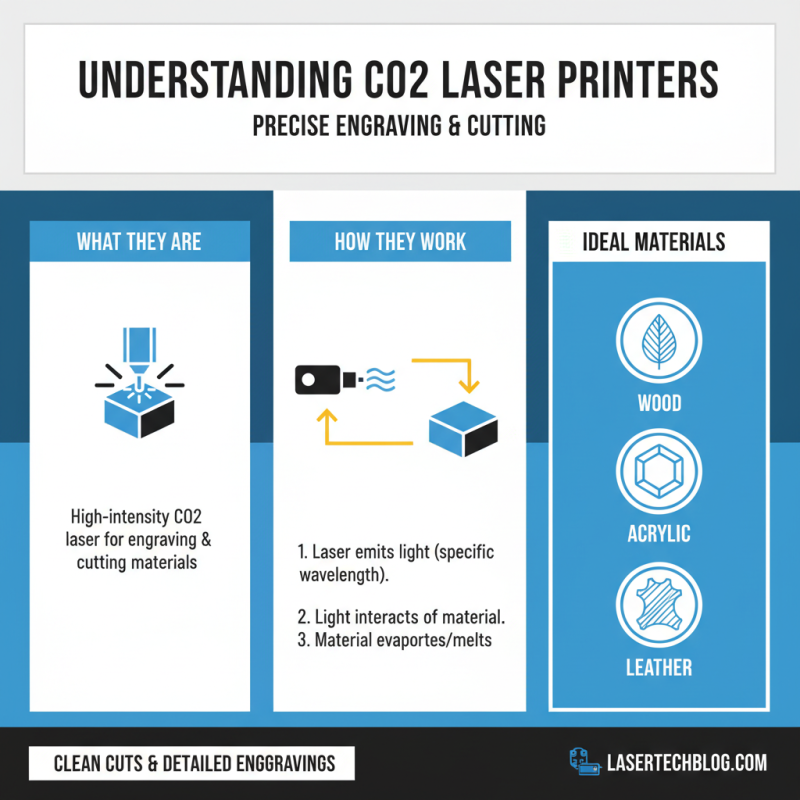
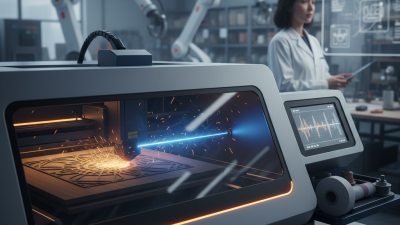
Carbon dioxide laser printers are fascinating tools that use high-intensity lasers to engrave or cut materials. They excel in creating precise designs in various surfaces, such as wood, acrylic, or leather. Understanding how these machines work is crucial for optimum usage. The laser emits light at a specific wavelength, which interacts with the material, causing it to either evaporate or melt away. This process leads to clean cuts and detailed engravings that are hard to achieve with traditional methods.

Operating a CO2 laser printer requires careful attention. It's easy to overlook settings like speed, power, and frequency. Incorrect settings can lead to uneven cuts or burnt edges. Sometimes, users might forget to calibrate their machines, resulting in poorly aligned designs. Regularly checking focus and cleanliness helps maintain the printer’s performance. Knowledge about materials is also essential; some materials react differently to laser cutting. Failing to recognize these differences can lead to frustrating outcomes. Using carbon dioxide laser printers effectively involves both skill and awareness of potential pitfalls.
Choosing the Right Materials for Optimal Laser Printing Results

10 Essential Tips for Using Carbon Dioxide Laser Printers Effectively?

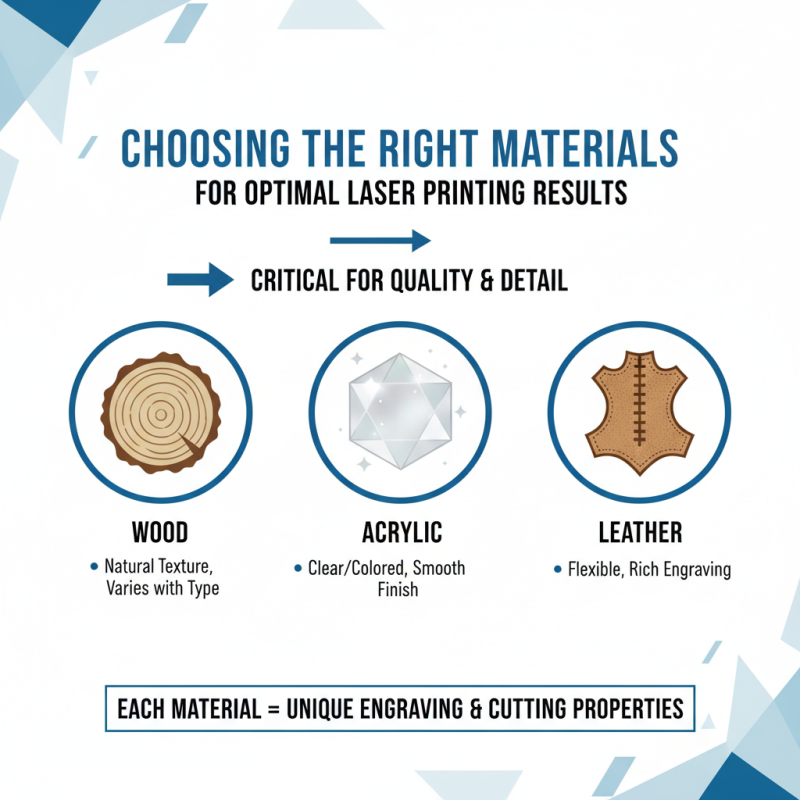
Choosing the right materials is critical for carbon dioxide laser printing. The type of material can greatly affect the quality of your prints. For example, wood, acrylic, and leather are popular choices. Each material has its own unique properties that influence engraving and cutting outcomes.

When selecting materials, consider their thickness and density. Thicker materials may require more power and careful focus adjustments. On the other hand, thin materials can warp or catch fire easily. Starting with small samples can help you test the compatibility before committing to larger pieces.

Sometimes, it’s tempting to use materials left over from other projects. This can lead to inconsistent results. If the material's surface is not suitable, it might absorb too much heat or provide uneven engraving. Observing how your laser interacts with different materials can be a learning experience. Reflecting on your outcomes will help in refining your future projects.

Essential Settings for Achieving High-Quality Prints with CO2 Lasers

When working with CO2 laser printers, understanding essential settings is crucial for achieving high-quality prints. The focus of the laser beam directly impacts the precision of your engraving. A well-focused beam produces clearer details, while an unfocused beam can result in blurry images. Regularly check the lens for cleanliness to maintain optimal focus.

Speed settings play a significant role too. Slower speeds often yield deeper cuts, while faster speeds can create lighter engravings. Finding the perfect balance is key. Experimenting with different speeds can lead to unexpected results—some great, some less successful. Also, adjust the power settings based on the material. Too much power on thinner materials can cause them to warp or burn.

Don’t forget about the material thickness. Each type can react differently to the laser. Always make test cuts on scrap pieces before finalizing your design. Remember, even seasoned users encounter surprises. Learning from each print, whether it meets expectations or not, will enhance your skills over time. Making adjustments and documenting results will guide your future projects.

10 Essential Tips for Using Carbon Dioxide Laser Printers Effectively

Tip Number Tip Description Recommended Setting
1 Ensure proper focus on the material surface. Focus at the material’s surface level, adjust lens height accordingly.
2 Choose the right speed and power settings. Adjust speed to 10-20 mm/s and power to 50-60% for optimal results.
3 Utilize proper ventilation. Ensure an exhaust system is in place to remove fumes.
4 Regularly clean the lens and mirrors. Use lens cleaner weekly for optimal performance.
5 Test materials before large cuts. Run small tests on scrap material first.
6 Adjust raster and vector settings according to design. Use high resolution for raster images and optimized settings for vectors.
7 Keep materials flat and secure during cutting. Use clamps or weights to prevent shifting.
8 Select the right material for the job. Use only recommended materials like acrylic or wood.
9 Utilize appropriate safety gear. Wear safety glasses and gloves when operating.
10 Monitor the print job closely. Be present to catch issues before they escalate.

Maintenance Tips to Ensure Longevity and Performance of Laser Printers

Maintaining a carbon dioxide laser printer is essential for achieving optimal performance. Regular cleaning is vital. Dust may accumulate inside, affecting print quality. Use a soft, lint-free cloth to wipe down the exterior and the scanner components. Ensure the printer is powered off before cleaning. Sometimes, users forget this crucial step, leading to potential malfunctions.

Inspecting the toner cartridges is another key aspect of maintenance. Dull prints may indicate low toner levels. Replace cartridges promptly to avoid damage. However, mishandling of these components can cause ink spills. Be cautious and refer to the manual for proper procedures. Regularly check for firmware updates, as outdated software can lead to inefficient operation.

Environment plays a significant role as well. Place the printer in a cool, dry area. Avoid direct sunlight and high humidity. This prevents components from deteriorating faster than necessary. Lastly, some users overlook routine checks. It’s easy to forget. Set reminders to ensure you keep up with these tasks. Ignoring them can cause performance issues over time.

10 Essential Tips for Using Carbon Dioxide Laser Printers Effectively

This chart illustrates the importance of various maintenance tips for ensuring the longevity and performance of carbon dioxide laser printers.

Common Troubleshooting Techniques for CO2 Laser Printing Issues

Common issues can arise when using CO2 laser printers. One frequent problem is uneven engraving. This may result from improper focus or incorrect speed settings. Check the lens and ensure it's clean. Adjust the focus carefully and test different speeds for better quality.

Another common issue is material warping. It can happen when the laser settings are too high. Use lower power settings when working with sensitive materials. Testing on scrap pieces first can help avoid these problems. If your engravings appear faint, it could be due to low power settings or slow speed. Experiment with the settings to find the right balance.

Finally, software glitches can also cause frustration. Ensure your design file is compatible. Double-check dimensions and make sure the design is in the correct format. If issues persist, restarting your printer may resolve temporary software problems. Frequent feedback and adjustments are key to mastering CO2 laser printing.